













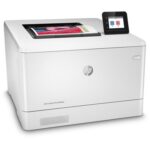
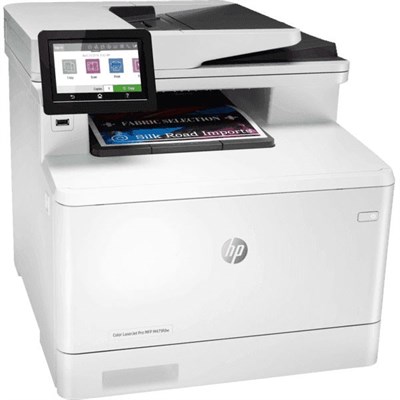
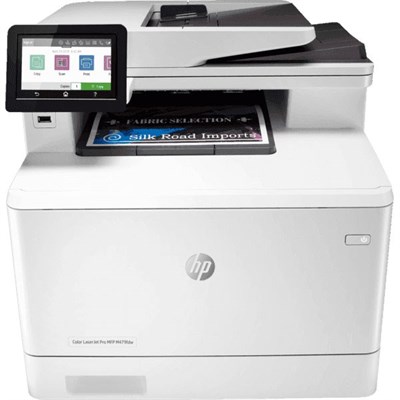
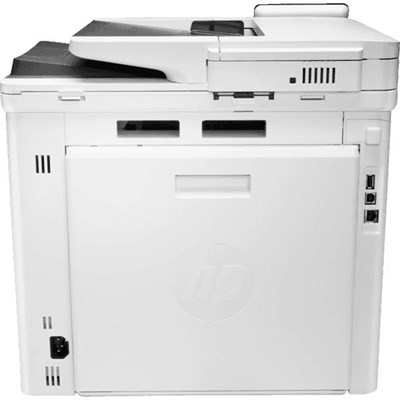



HP Color LaserJet Pro MFP M479fdw
Paper handling features | M479dw | M479fnw | M479fdn | M479fdw |
Tray 1 (50-sheet capacity) |  | | | |
Tray 2 (250-sheet capacity) | | | | |
Optional 550-sheet accessory tray | Optional | Optional | Optional | Optional |
Automatic duplex printing | | Not available | | |
Connectivity features | M479dw | M479fnw | M479fdn | M479fdw |
10/100/1000 Ethernet LAN connection with IPv4 and IPv6 | | | | |
Hi-Speed USB 2.0 | | | | |
Walk-up USB port | | | | |
Print server for wireless connectivity | | | Not available | |
Bluetooth Low Energy (BLE) | | | Not available | |
Wi-Fi Direct for printing from mobile devices | | | Not available | |
Print features | M479dw | M479fnw | M479fdn | M479fdw |
Prints 27 pages per minute (ppm) on A4 and 28 ppm on letter-size paper | | | | |
USB printing (no computer required) | | | | |
Job storage and private printing
| | | | |
Copy and scan features | M479dw | M479fnw | M479fdn | M479fdw |
Copies 27 pages per minute (ppm) and scans up to 26 ppm
| | | | |
50-page document feeder with dual-head scanner for single-pass duplex copying and scanning | Not available | | | |
50-page document feeder with simplex copying and scanning | | | | |
Scan to E-mail, Scan to USB, and Scan to Network Folder options | | | | |
Other features | M479dw | M479fnw | M479fdn | M479fdw |
Color touchscreen control panel | | | | |
Fax features | Not available | | | |
HP Digital Fax (Fax to Email, and Fax to Network Folder options) | Not available | | | |
Supported operating systems
The following information applies to the printer-specific Windows and HP print drivers for macOS and to the software installer.
Windows: The HP Software Installer installs either a V3 or V4 PCL 6 print driver depending on the Windows operating system along with optional software when using the full software installer. See the software installation notes for more information.
macOS: Mac computers and Apple mobile devices are supported with this printer. Download HP Easy Start either from 123.hp.com/laserjet or from the Printer Support page, and then use HP Easy Start to install the HP print driver. HP Easy Start is not included in the HP Software Installer.
- Go to 123.hp.com/laserjet.
- Follow the steps provided to download HP Easy Start.
Linux: For information and print drivers for Linux, go to www.hp.com/go/linuxprinting.
UNIX: For information and print drivers for UNIX, go to www.hp.com/go/unixmodelscripts.
Operating system | Print driver installed (from the software on the web) |
Windows 7, 32-bit and 64-bit | The HP PCL 6 (V3) printer-specific print driver is installed for this operating system as part of the software installation. |
Windows 8, 32-bit and 64-bit | The HP PCL 6 (V3) printer-specific print driver is installed for this operating system as part of the software installation.1 |
Windows 8.1, 32-bit and 64-bit | The HP PCL-6 (V4) printer-specific print driver is installed for this operating system as part of the software installation.2 |
Windows 10, 32-bit and 64-bit | The HP PCL-6 (V4) printer-specific print driver is installed for this operating system as part of the software installation. |
Windows Server 2008 R2, 64-bit | The HP PCL 6 (V3) printer-specific print driver is available for download from the printer support website. Download the driver, and then use the Microsoft Add Printer tool to install it.3 |
Windows Server 2008 R2, SP1, 64-bit | The HP PCL 6 (V3) printer-specific print driver is available for download from the printer support website. Download the driver, and then use the Microsoft Add Printer tool to install it. |
Windows Server 2012 | The HP PCL 6 (V3) printer-specific print driver is available for download from the printer support website. Download the driver, and then use the Microsoft Add Printer tool to install it. |
Windows Server 2012 R2 | The HP PCL 6 (V3) printer-specific print driver is available for download from the printer support website. Download the driver, and then use the Microsoft Add Printer tool to install it. |
Windows Server 2016, 64-bit | The HP PCL 6 (V3) printer-specific print driver is available for download from the printer support website. Download the driver, and then use the Microsoft Add Printer tool to install it. |
macOS Sierra 10.12, macOS High Sierra 10.13, macOS Mojave 10.14 | To install the print driver, download HP Easy Start from 123.hp.com/laserjet. Follow the steps provided to install the printer software and print driver. |



Reviews
Clear filtersThere are no reviews yet.